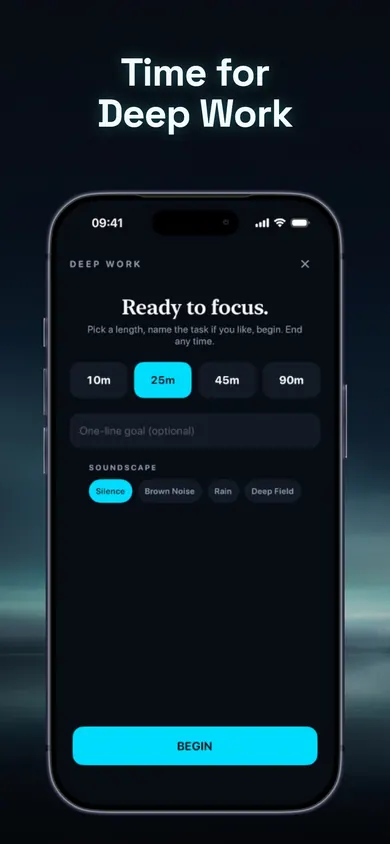
For anyone whose focus sessions end early. Pick a task and watch a clean session run.
Deep work
Draft the report intro
25:00
Brown noise · Live Activity on
Begin
Name one task:
Demo runs 60× faster. One task, one verb. Good.
Free on iPhone
By the Honest Little Apps studio · Updated November 2026 · 7 cards, about 6 minutes
Why do my deep work sessions keep falling apart?
Usually it is the setup, not your willpower. Sessions fail when the task is vague, the block is too long for where you are now, the last task is still in your head, or the phone can still reach you. Each of those has a small fix you can make before the timer starts.
Deep work is focused, uninterrupted time on one demanding task. The term comes from Cal Newport's 2016 book. The idea is simple. Doing it on a Tuesday afternoon is not, and most of what goes wrong happens in the first two minutes.
Most sessions are lost before they start, in the setup.
Common deep work mistakes vs. fixes
Mistake
Fix
"Work on the project"
One verb, one noun
90 minutes on day one
Start at 25
Switching mid-session
Write a stopping note
Judging by feel
Re-test the same way weekly
Small setup changes beat big promises to try harder.
The 7 deep work mistakes to avoid
Tap I do this on any card that sounds like you. Your fixes collect at the bottom of the page.
1
Starting with a vague task
"Work on the report" has no finish line, so your brain keeps hunting for an easier one.
Fix: name one task with a verb and a noun: "draft the intro", "outline section 2". If you cannot name it, your first session is planning.
2
Booking 90 minutes on day one
A long block feels serious. When it breaks at minute 20, it feels like failure, and you stop booking them.
Fix: start at 25 minutes. Finish several before you go longer. A finished short session beats an abandoned long one.
3
Jumping in straight from another task
Sophie Leroy's 2009 study in Organizational Behavior and Human Decision Processes found that people struggle to let go of an unfinished task, and their performance on the next task suffers. She called it attention residue.
Fix: before you start, write one line about the last task: where you stopped and what is next. It gives your mind permission to put it down.
4
Leaving the phone a reach away
The evidence on the phone's mere presence is mixed. A well-known 2017 study suggested it drains attention, but a 2022 replication in Acta Psychologica found no difference by phone location. The pings and the reaching are the real problem.
Fix: silence notifications and put the phone where reaching for it takes a decision.
5
Fiddling with the sound mid-session
Changing playlists counts as a task switch. Five changes and the session is mostly switching.
Fix: pick one sound before you begin (silence, brown noise or rain) and leave it for the whole timer. Which one is personal preference.
6
No clear end
"I'll work until it's done" turns a session into a slog, and slogs make you avoid the next one.
Fix: use a visible countdown and stop when it ends, even mid-sentence. Stopping mid-sentence also gives you an easy restart.
7
Judging focus by how it felt
Tired days feel worse than they were, and good days feel better. Feelings are a poor scoreboard.
Fix: measure the same way each week: same tasks, same conditions. Treat small changes as noise.
Pick the one card that sounds most like you, and fix that first.
A Tuesday afternoon, twice
2:00 p.m. A meeting ends. You open the document, check one message, open the document again. You set a vague goal and no timer. At 2:40 you have rewritten one paragraph three times.
Same Tuesday, take two. You write one line about the meeting ("send notes, Thursday"), name the task "draft the intro," put the phone in a drawer, choose brown noise and start 25 minutes. At 2:27 the timer ends mid-sentence. You stop anyway, and the next start is easy.
Same afternoon; the difference was two minutes of setup.
How Attention Age handles the setup
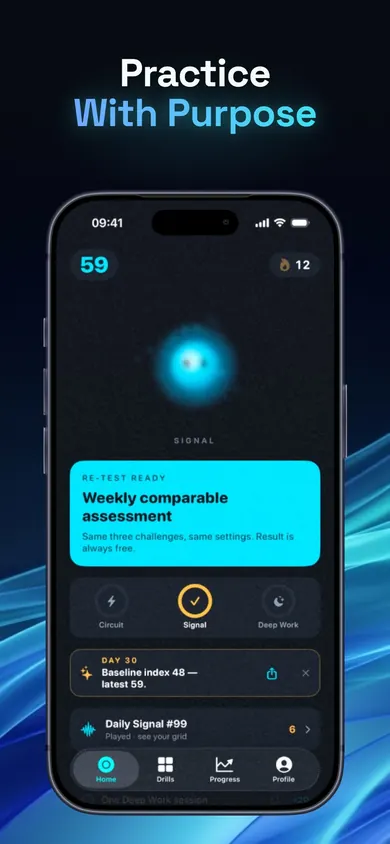
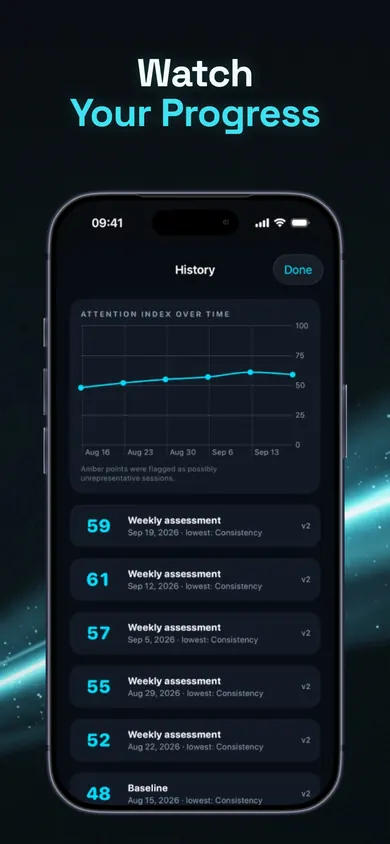
Attention Age's Deep Work screen is the demo at the top, built properly. Name one task, pick a length, begin. You get a clean countdown with a Lock Screen Live Activity, optional brown noise, rain or Deep Field ambience, and an easy way to pause or end. Sessions of 10 and 25 minutes are free; 45 and 90 minutes come with Pro. For mistake 7, the free weekly re-test uses the same tasks and scoring every week, and changes under 5 points are called "about the same".
Name one task, pick a lengthThe weekly re-test, always freeEvery result kept, lower ones too
One task, one length, one sound, then begin.
Honest limits
A timer does not block apps. Attention Age's Deep Work sessions give you a countdown and sound, not an app blocker. If your problem is opening apps, an app blocker is the better tool.
Scores are about the tasks. The Attention Index reflects your performance on its specific tasks on your device. It is not compared with any population and is not a medical or diagnostic test.
One design decision: Lumen, the light companion, grows by showing up, never by your score. We did not want a bad day to cost you anything.
Who should pick something else: anyone who needs sessions over 25 minutes without paying (a plain kitchen timer works), or anyone looking for an ADHD assessment, which takes a clinician.
Deep work FAQ
How long should a deep work session be for a beginner?
Start with 25 minutes. Finish several sessions before trying 45 or 90. A finished short session builds the habit; an abandoned long one tends to end it.
What is attention residue?
It is the part of your attention still stuck on a previous, unfinished task. Sophie Leroy described it in a 2009 study and found it hurts performance on the next task.
Does having my phone nearby ruin focus?
The evidence is mixed. A 2017 study suggested it did, but a 2022 replication found no difference by phone location. Notifications and reaching for the phone are the clearer problem.
Is background noise good for deep work?
It depends on the person. Pick one sound before you begin, whether silence, brown noise or rain, and leave it alone until the timer ends.
Is Attention Age's Deep Work timer free?
Yes. 10 and 25 minute sessions are free. 45 and 90 minute sessions come with the optional Pro subscription.
Your fix list
Tap I do this on the cards above and your fixes appear here, in order. Start with the first one tomorrow.
Your picks stay in this tab only. Nothing is saved or sent.
Name one task.Then begin.
Attention Age is free, needs no account, and keeps your results on your iPhone.
Free on iPhone · Start on your iPhone
More focus guides
Test your attention span at home, in 4 stepsA 4-step at-home attention span test: a 5-minute page tally, a 12-arrow focus test you can take right here, and a fair way to re-test weekly.
Block apps while studying: a finals plannerPick your exam date, study hours and hardest time of day. Get a finals-week plan of blocked study sessions for your iPhone, with honest limits.
Build a 4-minute morning brain warm-upAnswer three taps and get a 2, 4 or 8-minute morning brain warm-up that replaces the first scroll of the day. Free plan, honest limits.
Brain training terms, in plain wordsWorking memory, far transfer, mental rotation and 13 more brain training terms in plain words, plus a 20-second round you can play right here.