Can you test your attention span at home?
Yes, roughly. You cannot get one true "span" number, but you can measure two useful things at home: how often your mind leaves a task you chose, and how well you ignore distractions. Do it the same way every week and the changes mean something.
That 47-second figure on the card comes from screen-switching studies by Gloria Mark at the University of California, Irvine, who told UCI in May 2023 that average attention on a screen fell from about two and a half minutes in 2004 to 75 seconds in 2012 and 47 seconds in recent years. It describes switching at work, not a limit in your head. Your own number is more useful.
There is no single span to find, but you can find your own baseline.
The at-home attention span test, step by step
Fix the conditions
Pick a time you can repeat: same day of the week, same hour, same chair. Put your phone in another room or face down out of reach. Attention changes a lot with sleep, caffeine and time of day, so the conditions matter more than the score.
Same time, same chair, same week-to-week rules.
The 5-minute page tally (sustained attention)
Set a timer for 5 minutes and read. Every time you notice your mind has left the page, or your hand reaches for a phone that is not there, tap the button below (or make a mark on paper). Researchers call this self-caught mind wandering. Lower is calmer, but noticing is the skill.
Count the drifts, not the pages.
The 12-arrow test (distractor handling)
This is a short version of the flanker task, a classic attention task in which you judge the middle arrow and ignore the arrows around it (Cognitive Atlas has a plain description). When the outer arrows point the other way, everyone slows down a little. That slowdown is your interference cost.
The slowdown from wrong-way arrows is the number to watch.
Log it and re-test in a week
Write down three numbers: drifts in 5 minutes, arrows correct, and interference cost in milliseconds. Re-test in seven days under the same conditions. Treat small changes as noise, and expect your second and third tries to improve just from knowing the task.
| What you measured | What it reflects | Read it as |
|---|---|---|
| Drifts in 5 min | Sustained attention on a task you chose | Fewer is calmer; trend over weeks |
| Arrows correct | Response control | Errors matter more than speed |
| Interference cost | Distractor handling | Smaller gap is better; it is noisy |
One week is a snapshot; four weeks is a trend.
Honest limits of an at-home test
- It is not a diagnosis. No home test, ours included, can tell you whether you have ADHD. That takes an evaluation by a qualified clinician; the National Institute of Mental Health's ADHD page (reviewed August 2026) is a good place to start.
- Browser timing is rough. Phones and browsers add their own delay, so compare your arrow results only with yourself, on the same device.
- Practice inflates scores. Getting better at a task shows you got better at that task. It is not proof of broader change.
- Who should pick something else: anyone who needs a clinical assessment, and anyone who just wants to block distracting apps. A test measures; it does not block anything.
This is general information, not medical advice. Talk to your clinician.
The same idea, built properly: Attention Age
We made Attention Age to do steps 1 to 4 for you. It is a five-minute test built from three timed tasks: Signal Watch (tap the signals, skip the decoys), Interference (judge the middle arrow, like step 3) and Tracking (follow moving shapes). You get a 0–100 Attention Index with five category scores, each explained in plain language, plus a validity check that flags sessions that probably don't reflect a real attempt.
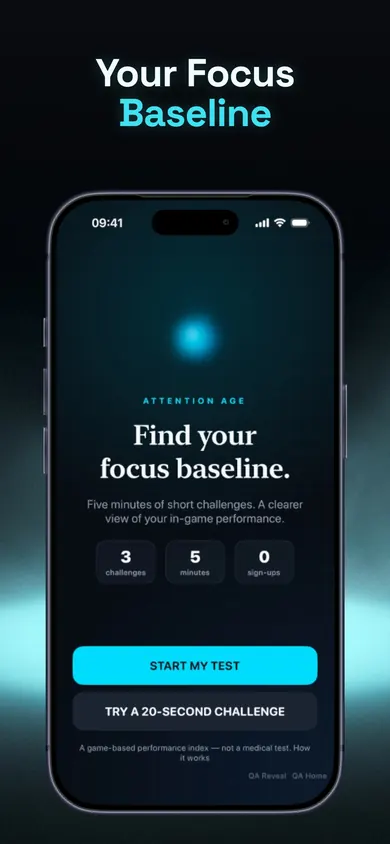
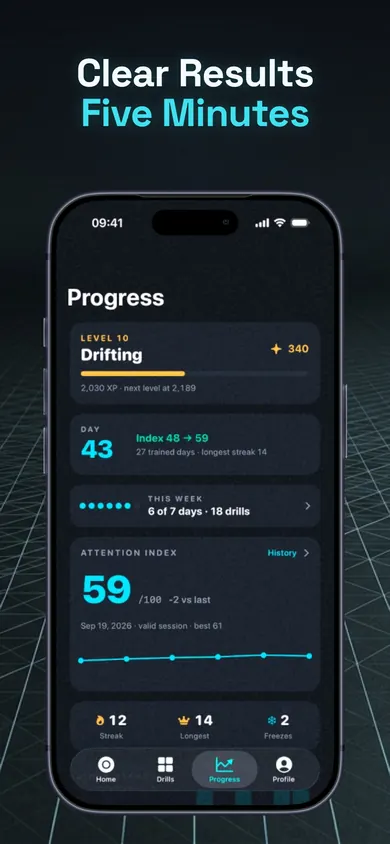
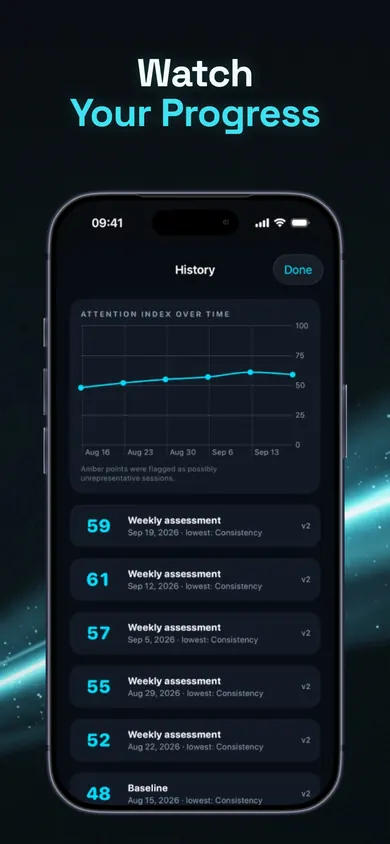
The weekly re-test uses the same tasks and scoring. Changes under 5 points are called "about the same", early gains from familiarity are flagged, and weekly results are always free. One design decision we care about: the Index is not an age, a percentile or a ranking, and it is not compared with any population. It reflects your performance on these tasks on your iPhone.
Same tasks, same scoring, every week: that is what makes a re-test fair.
Your result, in context
After two runs of the arrow test, your second run is the one to log. If you made more than two errors, slow down next time: accuracy first, speed second. If your interference cost is large, that is normal for the first few tries and tends to settle as the task gets familiar. Your page tally is the most personal number here. Bring it back next week and see if it moved.
Log the second run, trust the trend, ignore single days.