What's the difference between an app blocker for kids and one for adults?
Who holds the key. A kids' app blocker is set by a parent, from the parent's phone, with a passcode the child doesn't know. An adult app blocker is set by you, for you, and you can always undo it. The best one adds a pause and a timer, not a wall.
That one difference decides everything else: who sets the schedule, what happens when the app is truly needed, and whether turning it off should be hard or simply deliberate.
The app blocker decision chart
Your three taps above light up a path. You can also follow it with your finger.
Chart built from Apple's Screen Time documentation and the FocusPass App Store listing, checked 3 November 2026.
Use Apple's Screen Time through Family Sharing
Apple's Screen Time support page describes the setup: give your child their own Child Account in Family Sharing, then go to Settings > Family > your child's name > Screen Time. You set schedules for weekdays and weekends and daily time allowances by category, and the passcode is set on your device, not theirs. It's free and already on both phones.
The American Academy of Pediatrics and Apple put it well in their joint family guide: "Parental controls often work best when children understand why they're in place."
Both, layered
A parent's Screen Time sets the outer limits. A teen who wants help inside those limits, say for exam season, can add FocusPass for themselves. If a parent manages Screen Time, the parent's settings come first.
Use a blocker that asks, then relocks
Nobody holds your passcode, so a hard wall usually ends with you switching it off. FocusPass puts a shield in front of the apps you pick. At the shield you choose Go back, or Use a Pass for 5, 10 or 15 minutes. The relock is scheduled with iOS before the app opens.
The parental app on a grown-up phone
A common pattern: an adult installs a parental-control app on their own phone, hands the passcode to nobody, and types it in on day three. The controls weren't weak. They were built for a situation where someone else holds the key. A blocker for yourself has to work even though you know the way out.
A lock only works when someone else holds the key. A Pass works when you do.
Kids' blocker vs adult blocker, side by side
| Question | Kids (Screen Time, Family Sharing) | Adults (FocusPass) |
|---|---|---|
| Who sets it? | Parent, from their own device | You, on your iPhone |
| Who can turn it off? | Only the parent | You, anytime: Turn Off All Protection always works |
| When the app is needed | Child asks for more time | Take a timed Pass with an optional reason |
| Schedules | Weekday and weekend schedules | Focus Zones for Work, Study, Evening or Sleep |
| What it tracks | Screen Time reports | Focus Saves and a Pass heatmap, calculated on your device |
| Cost | Free, built in | Free plan; optional Pro subscription |
What an adult app blocker looks like
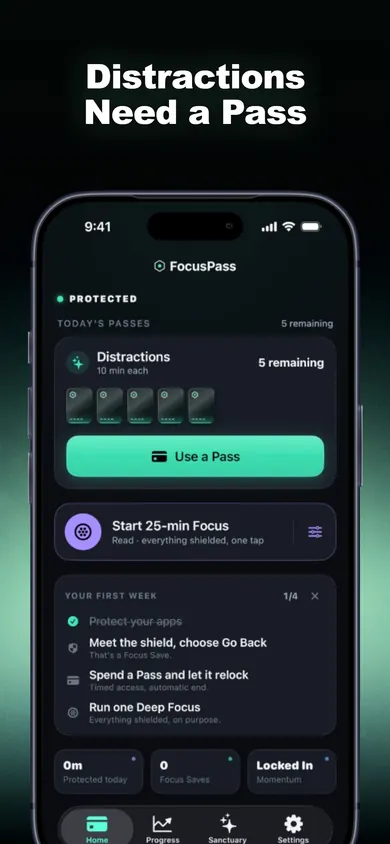
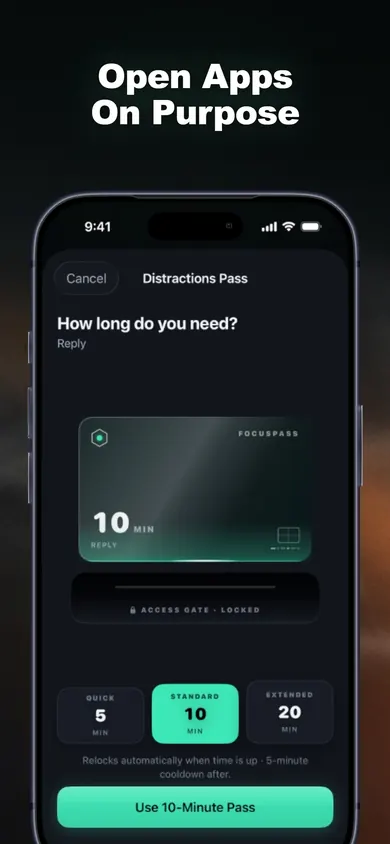
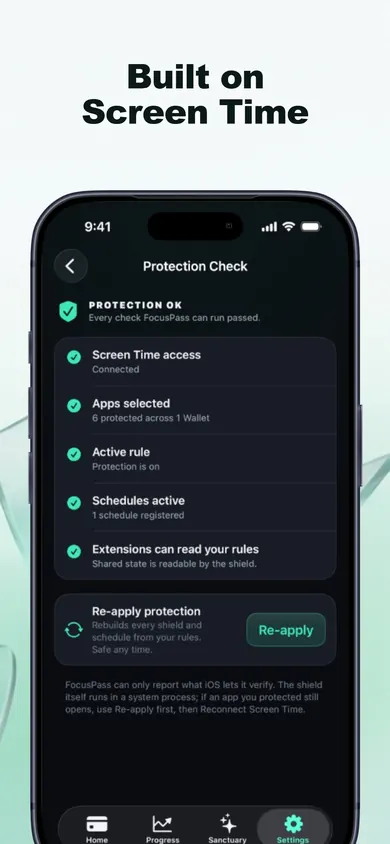
How FocusPass works for one adult, in 3 steps
- Protect. Pick apps, categories or websites with Apple's own Screen Time picker. They show a shield: PROTECTED.
- Choose. Go back, which counts as one Focus Save, or use a timed Pass.
- Return. The app relocks when the Pass ends, even if FocusPass is closed.
Who should pick something else
- Parents of young children: Screen Time with Family Sharing. FocusPass is a self-control tool, so the off switch is always available to whoever holds the phone. That's a deliberate choice.
- Adults who want zero exceptions: deleting the app is simpler than any blocker.
- Android families: FocusPass needs an iPhone or iPad on iOS 18 or later.
Honest limit: FocusPass is not a parental control. Whoever holds the phone can turn it off, and it sends no reports to anyone. Rules and history stay on the device, with no account and no ads, and Apple keeps your app selections opaque, even to FocusPass.
For your own phone:Distractions need a Pass.
Download free on the App Store. The free plan includes shields, timed Passes and automatic relocking.
More from Focus and Screen Time
- One sec vs Opal, compared honestlyOne sec vs Opal, compared from their App Store listings on 3 November 2026: how each stops you, free plans, US prices. Plus a 3-tap quiz to pick.
- Your first week off social media, day by dayTap each day to see what the first week of a social media detox feels like, plus one setup per day. For people who still need to post for work.
- Block apps during work hours, in 5 workdaysBlock apps during work hours on iPhone without losing Slack or your calendar. Sort your apps in 20 seconds, then follow a 5-workday plan to set it up.
- Block apps while studying: a finals plannerPick your exam date, study hours and hardest time of day. Get a finals-week plan of blocked study sessions for your iPhone, with honest limits.