Where do you start cleaning with ADHD?
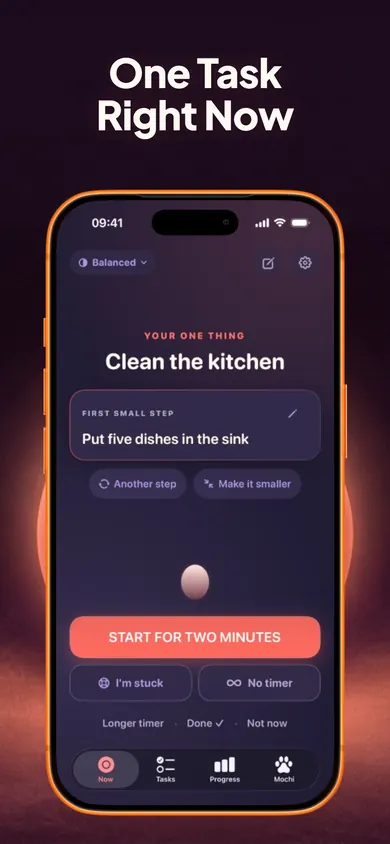
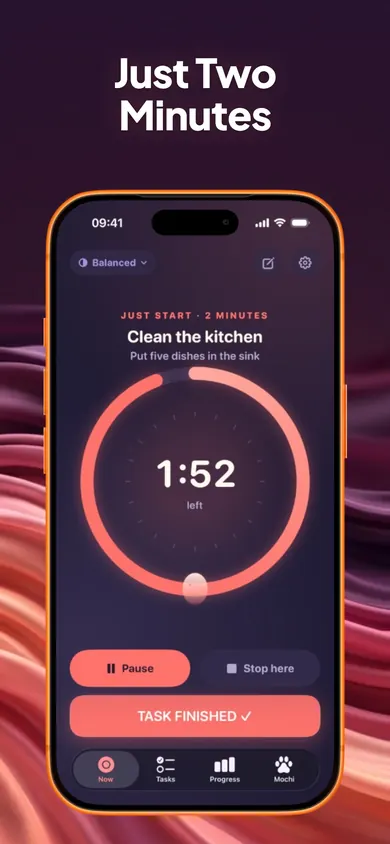
Start with the chore you can finish fastest, at its smallest size, for two minutes.
Not the worst room. Not the most important job. The one that gives you a visible "done" quickest, because getting started is usually the hard part. That is why the list above is yours to reorder: there is no correct order, only the one you will actually begin. The NHS lists "finding it hard to organise your time" and "finding it hard to follow instructions or finish tasks" among common adult ADHD symptoms (page reviewed March 2025), and the National Institute of Mental Health includes trouble staying organized (reviewed August 2026).
A smaller first step beats a better plan.
| Chore | Tiniest version |
|---|
| Dishes | Put five dishes in the sink |
| Laundry | Carry the basket to the machine |
| Trash | Fill one bag, tie it, set it by the door |
| Floor clutter | Pick up ten things from one floor |
| Bathroom | Wipe the sink, nothing else |
| Bed | Pull the covers up |
| Surfaces | Clear one counter or one table |
| Fridge | Throw out three expired things |
ADHD cleaning questions
Why is it so hard to start cleaning with ADHD?
A whole messy room has no clear first move, so it can feel like one giant task. Shrinking it to a single small step, like five dishes, gives you something concrete to begin.
What should I clean first when everything is a mess?
Pick whatever gives you a visible result fastest, usually dishes, trash or clearing one surface. Do the tiniest version for two minutes, then decide whether to keep going.
Is a 2-minute start really enough?
Two minutes is a start, not the whole job. In Now, you can stop early and it still counts, or keep going and pick 5, 10, 15 or 25 minutes next.
Is Now free, and does it need an account?
Yes, it is free with no account. The one-task screen, two-minute starter, Stuck button, Brain Dump, focus timers and daily plan are free forever. Now Pro is optional.
Honest limits
- It will not clean for you or plan your whole house. Now's daily plan holds up to three tasks: one main, one smaller, one optional bonus. That cap is a design decision. A list of 40 chores is a list nobody starts.
- It is not treatment. Now is a productivity-support tool and does not diagnose, treat or manage ADHD. This is general information, not medical advice. Talk to your clinician.
- Who should pick something else: households that need shared chore charts across several people, or anyone who wants a detailed recurring cleaning schedule. A paper rota or a family chores app fits better.
Three tasks a day is the limit, and the limit is the point.
A Saturday, two minutes at a time
Picture a Saturday where the kitchen, laundry and floor all need doing, and nothing gets started until 3 PM. Here is the same afternoon with the checklist above.
- Drag Trash to the top because it leaves the house. Two minutes: one bag by the door.
- Keep going for a 10-minute timer because it felt fine. The counter is clear too.
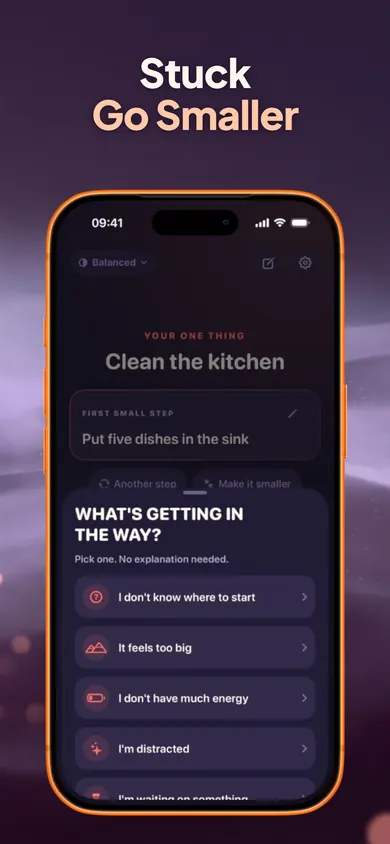
- Laundry feels too big. "I'm stuck" → "too big" → the tiniest version: carry the basket to the machine.
- Everything else goes to the parking lot as Later. Nothing piles onto tomorrow.
Three things done is a real Saturday.