How much screen time should an adult have a day?
There is no official daily screen time limit for adults. A good goal is personal: start from your own weekly average, target only the apps that drain you rather than all screen time, and step down about 10 to 20 percent a week for four weeks. Work, maps and calls stay out of the goal.
The closest thing to evidence for a number comes from a 2018 Penn study in the Journal of Social and Clinical Psychology, covered by TechCrunch: 143 students who limited Facebook, Snapchat and Instagram to about 10 minutes each a day, roughly 30 minutes in total, for three weeks reported significant drops in loneliness and depression compared with a control group. That was students and social apps, not every adult and every screen.
The best goal is your own number, minus a little, for the apps you'd want back.
Screen time goals for adults by age
Age doesn't come with a rule, but it changes where the time comes from. In Pew Research Center's May and June 2026 survey, 70% of US adults aged 18 to 29 said they spend too much time on their smartphone, compared with 64% of those 30 to 49, 49% of those 50 to 64 and 25% of those 65 and older. The BLS American Time Use Survey for 2025 shows TV time climbing with age, from 1.89 hours a day at 25 to 34 to 4.20 hours at 65 to 74.
- 18 to 29: phone-heavy. Aim the goal at social and video apps after 9pm.
- 30 to 49: fragmented. Aim at the in-between checks, like the "just one minute" scroll while the kettle boils.
- 50 and over: often more TV than phone. A phone goal may matter less than a TV-off time.
Set the goal where your hours actually go, not where the headlines say they go.
Your 4-week plan
Find your daily average in Settings → Screen Time → See All App & Website Activity. Week 0 is today.
Three kinds of goal, compared
Pick one kind of goal. Two at once is how plans fall apart in week two.
Honest limits
- Self-reported studies. The Penn study measured how people felt over three weeks in a small group of students. It does not set a rule for every adult.
- Plans slip. Week 2 is usually where it gets hard. That's why Time Debt lets you borrow a few minutes from tomorrow instead of ignoring the limit.
- One design decision: borrowed minutes are repaid once, the next day, with no interest. Tomorrow never drops below the minimum you choose.
- It's voluntary. Time Debt is a commitment tool for digital wellbeing, not treatment, and emergency access removes every shield until tomorrow at no cost.
This is general information, not medical advice. If screen use is affecting your mood or sleep, talk to your clinician.
What the plan looks like on your iPhone
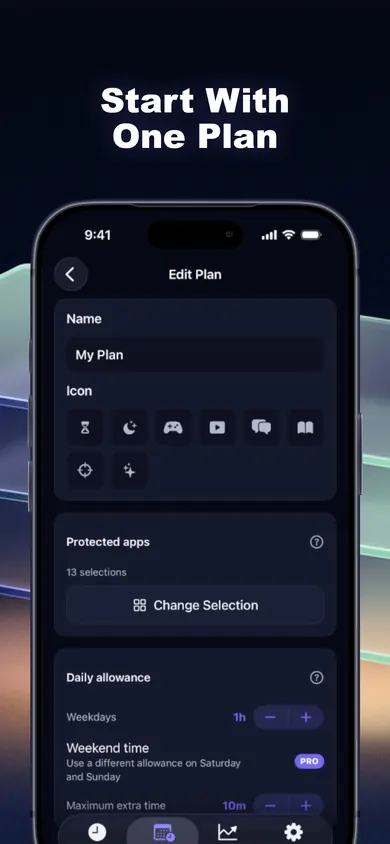
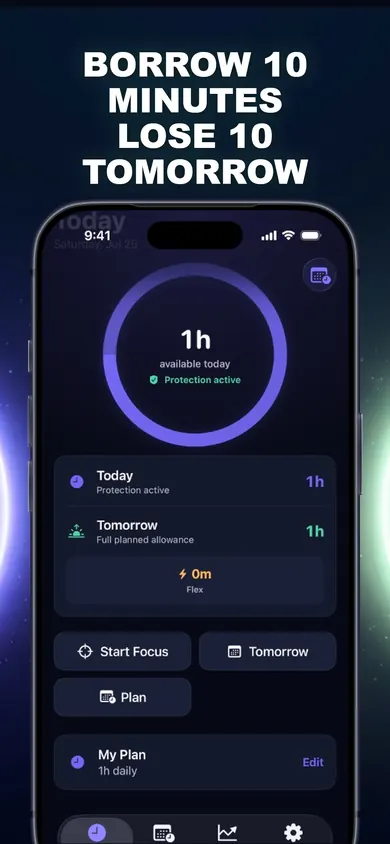
When the allowance runs out, a calm shield covers the selected apps. Stop for today, or open Time Debt and borrow with the full picture in front of you.
Questions about screen time goals
How many hours of screen time is normal for an adult?
Is 2 hours of screen time a day good for adults?
Should my goal include work screen time?
What happens if I go over my goal?
Is Time Debt free?
Who should pick something else
- If you want a wall with no exceptions, choose a strict blocker or have someone else hold your Screen Time passcode.
- If you're setting goals for a child on their own device, look at Apple's Family Sharing. Time Debt's family tools work on a shared or handed-over iPhone and have no remote monitoring.
- If your screen time is mostly work you can't avoid, a Downtime schedule in Apple's Screen Time may be all you need.
Set the goal.Borrow on purpose.
Free on iPhone. No account, no ads, and your rules stay on your device.
More focus guides
- How many years will you spend on your phone?Enter your age and daily screen time to see how many years it adds up to by 79, the CDC's 2024 US life expectancy, and what 30 minutes less gives back.
- Plan a holiday screen time budgetPick your holiday situation and get a day-by-day screen time budget: a normal allowance, a few bigger days, and the cost paid back the next day.
- For people who keep tapping Ignore LimitScratch to see what one more Ignore Limit really costs, then compare three fixes: Apple's block option, a passcode, or borrowing from tomorrow.
- Test your attention span at home, in 4 stepsA 4-step at-home attention span test: a 5-minute page tally, a 12-arrow focus test you can take right here, and a fair way to re-test weekly.