How much of my life will I spend on my phone?
Multiply your daily screen time by the days you have left. At 3 hours a day from age 30 to 79, that is about 6 years of round-the-clock time, or about 9 years of waking life if you sleep 8 hours a night. Use your own numbers below.
We use 79.0 years because that is the US life expectancy at birth for 2024 in the CDC's NCHS Data Brief 548, published January 29, 2026. It is an average, not a prediction about you.
Years behind youWaking years on screensGiven back by the cutEverything else
Small daily numbers are big lifetime numbers. That is the whole trick of this calculator.
A cost you see before you pay it
A lifetime number is a jolt, but it fades by Tuesday. What changes a day is seeing the price at the moment you want more time. Time Debt is an app blocker built on Apple's Screen Time system: when your allowance runs out, you can stop, or borrow 5, 10 or 15 minutes from tomorrow and see tomorrow's adjusted allowance before you confirm.
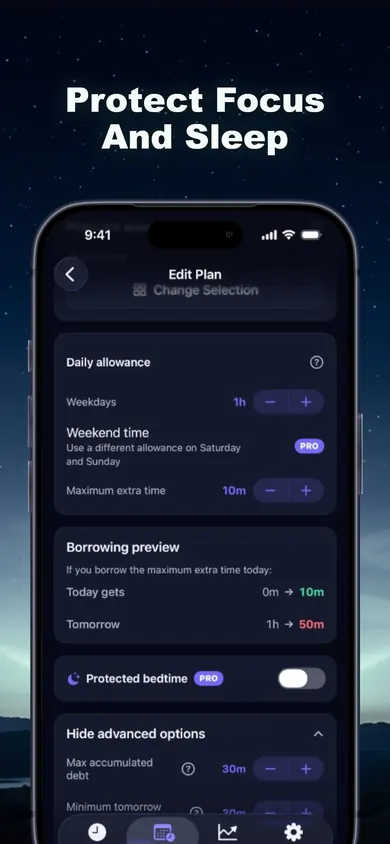
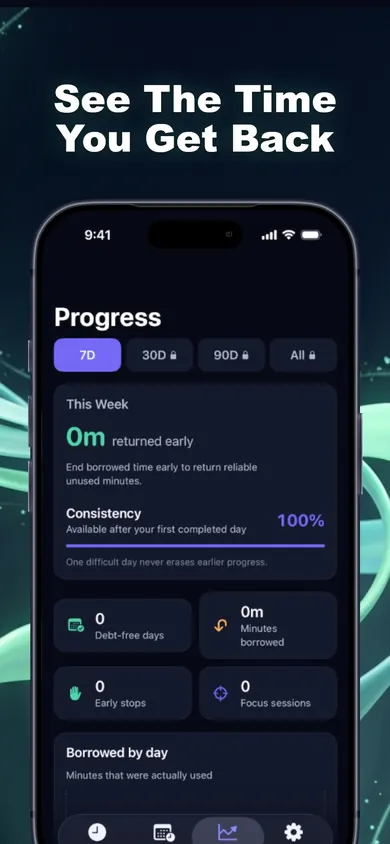
The lifetime number is the why. The borrowing preview is the how.
How does your number compare?
There is no official count of phone hours by age, but the U.S. Bureau of Labor Statistics measures TV time. Its American Time Use Survey, Table 11A (2025 annual averages) shows how much of the day TV alone takes, before any phone time:
| Age | TV, hours a day | Lifetime pace* |
|---|---|---|
| 20 to 24 | 2.07 | 7.4 yrs |
| 25 to 34 | 1.89 | 5.8 yrs |
| 35 to 44 | 1.76 | 4.3 yrs |
| 45 to 54 | 2.26 | 4.1 yrs |
| 55 to 64 | 3.06 | 3.6 yrs |
| 65 to 74 | 4.20 | 2.4 yrs |
*Waking years if that TV pace held from the middle of the age band to 79, with 8 hours of sleep.
And most of us already suspect it. In a Pew Research Center survey from May and June 2026, 53% of US adults said they spend too much time on their smartphone, including 70% of adults under 30.
Half of us already think it's too much. The calculator just gives the feeling a number.
Who should pick something else
- You want a hard wall with no way out. Time Debt always lets you borrow or use emergency access. A strict blocker or Apple's own Screen Time with a passcode someone else holds is a better fit.
- You're a parent who needs remote monitoring. Time Debt's family tools work on a shared or handed-over iPhone, with no remote monitoring.
- Most of your screen time is work. Block only the apps that drain you, or skip the app and set Apple's built-in app limits.
The December number
Late December, the weekly Screen Time report pops up: 4 hours 12 minutes a day. You run it through a calculator like this one and get a number of years you'd rather not say out loud.
So you don't promise to quit. You set a 2-hour allowance for the three apps that eat the evening and decide that more time costs tomorrow. Some nights you borrow 10 minutes. You see tomorrow shrink before you confirm, and most nights you put the phone down instead.
Not a detox. A price tag.
Honest limits
- It's a projection, not a prophecy. The calculator assumes today's daily time stays flat for decades. It won't; it'll go up and down.
- Not all screen time is lost time. Maps, calls with family, reading and work count in iPhone Screen Time too. Count the hours you'd want back.
- One design decision: borrowed minutes are repaid once, the next day, with no interest and nothing compounding, and tomorrow never drops below the minimum you choose.
- It's voluntary. Time Debt is a commitment tool for digital wellbeing, not medical or psychological treatment. On your own iPhone, Screen Time permission can be withdrawn in Settings.